
How the monthly photo allowance works
What Free, Standard, Premium, and Growth include in InstantSnap, and where to see how many studio shots are left this month.
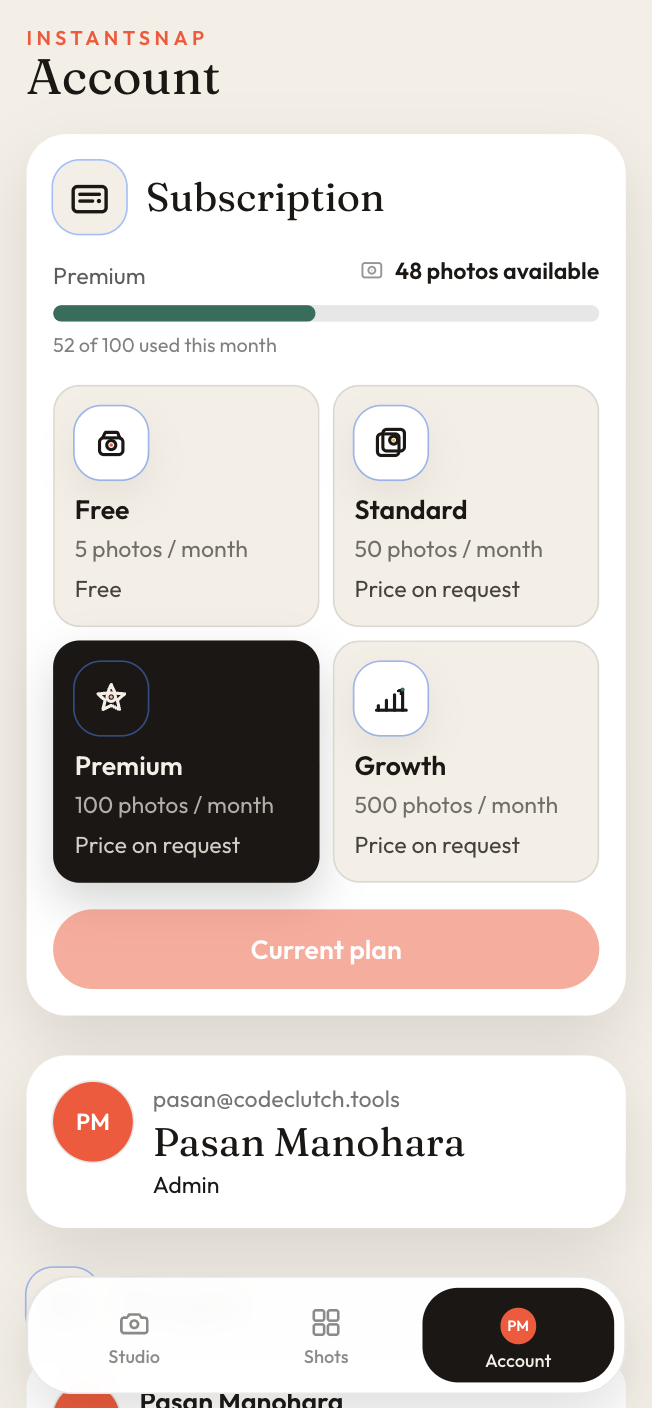
Each workspace has a monthly photo allowance. The number is the count of studio shots that plan can make in the period, not the number of phone photos you are allowed to store. Account shows the plan name, how many photos are still available, and how many of the allowance are already used.
What each plan includes
- Free: 5 photos a month, with no charge.
- Standard: 50 photos a month.
- Premium: 100 photos a month.
- Growth: 500 photos a month.
Paid plans are subscriptions billed in Sri Lankan Rupees. The plan card in the app shows the price before you pay. When a price is not published yet, the card says Price on request. The Free plan stays at no charge.
When the allowance is used up
The studio button changes when the workspace has reached its monthly photo limit, and you cannot start another shot until the allowance resets or the plan changes. Shots you already made stay in the library. Deleting a shot does not return it to the allowance. If a paid generation fails because of InstantSnap, the payment policy explains how the allowance is restored.
The plan you are on is labeled Current plan. Requesting another plan starts from the same Account screen.