
When to use a model, and when to leave the product alone
A practical guide to InstantSnap clothes shots versus product shots, including model, pose, skin tone, and hair color.
Shoppers understand a shirt faster when someone is wearing it. They understand a speaker faster when it is sitting on a surface with nothing else in the frame. InstantSnap splits those jobs. Clothes can include a model. Product does not.
Use a model for anything worn
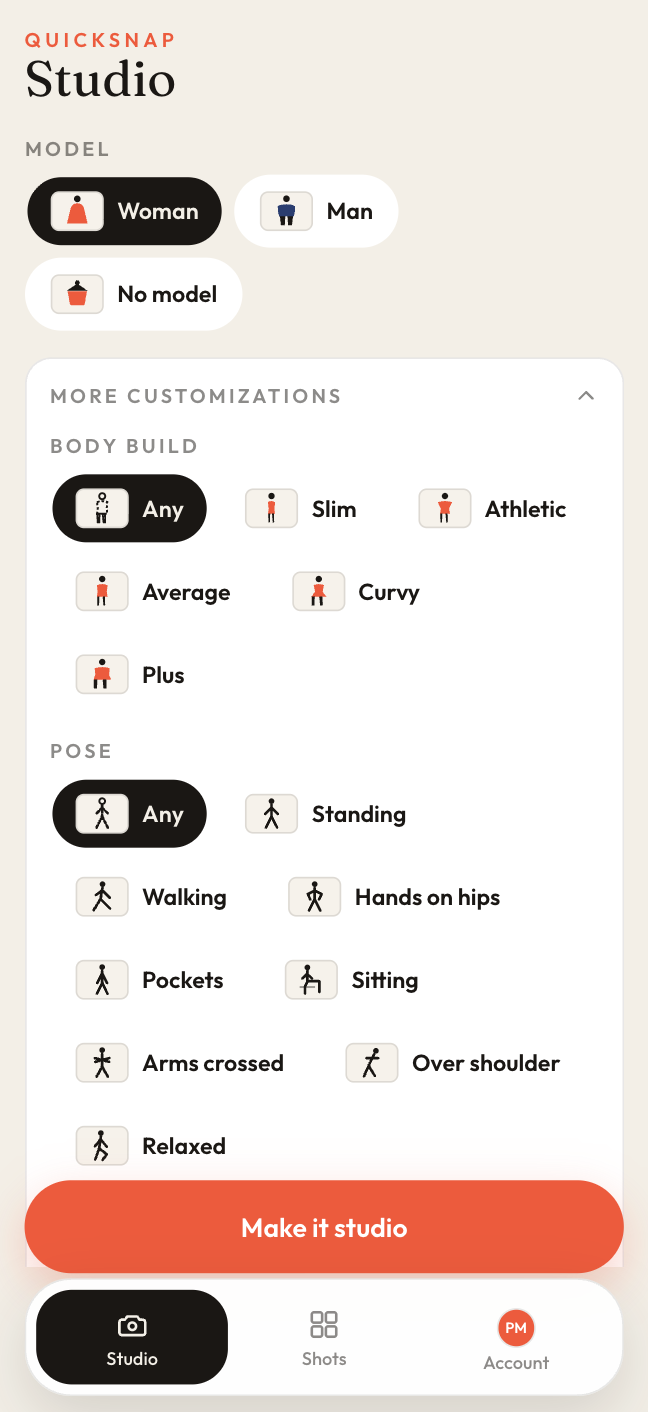
Choose Clothes, then Woman or Man. More customizations is where the model becomes specific: body build, pose, skin tone, and hair color. Leave a control on Any when you do not need that detail. Set it when the listing should match a particular customer.
- Body build: Slim, Athletic, Average, Curvy, Plus, or Any.
- Pose: Standing, Walking, Hands on hips, Pockets, Sitting, Arms crossed, Over shoulder, Relaxed, or Any.
- Skin tone: Fair, Light, Medium, Olive, Tan, Deep, or Any.
- Hair color: Black, Dark brown, Brown, Blonde, Auburn, Red, Gray, or Any.
Leave the model off for objects
No model, or the Product category, keeps the photo about the object. That is the shot for a speaker, a bottle, a pair of shoes you want as a still life, or a garment you want as a flat lay. Pair it with Flat lay or Detail when the stitching or the hardware is the point.
Keep both in the same library
Shots can be filtered to Clothes or Products, so a workspace that sells both does not mix the two catalogs. The card on each shot tells you which kind it is.